Keep the features that matter
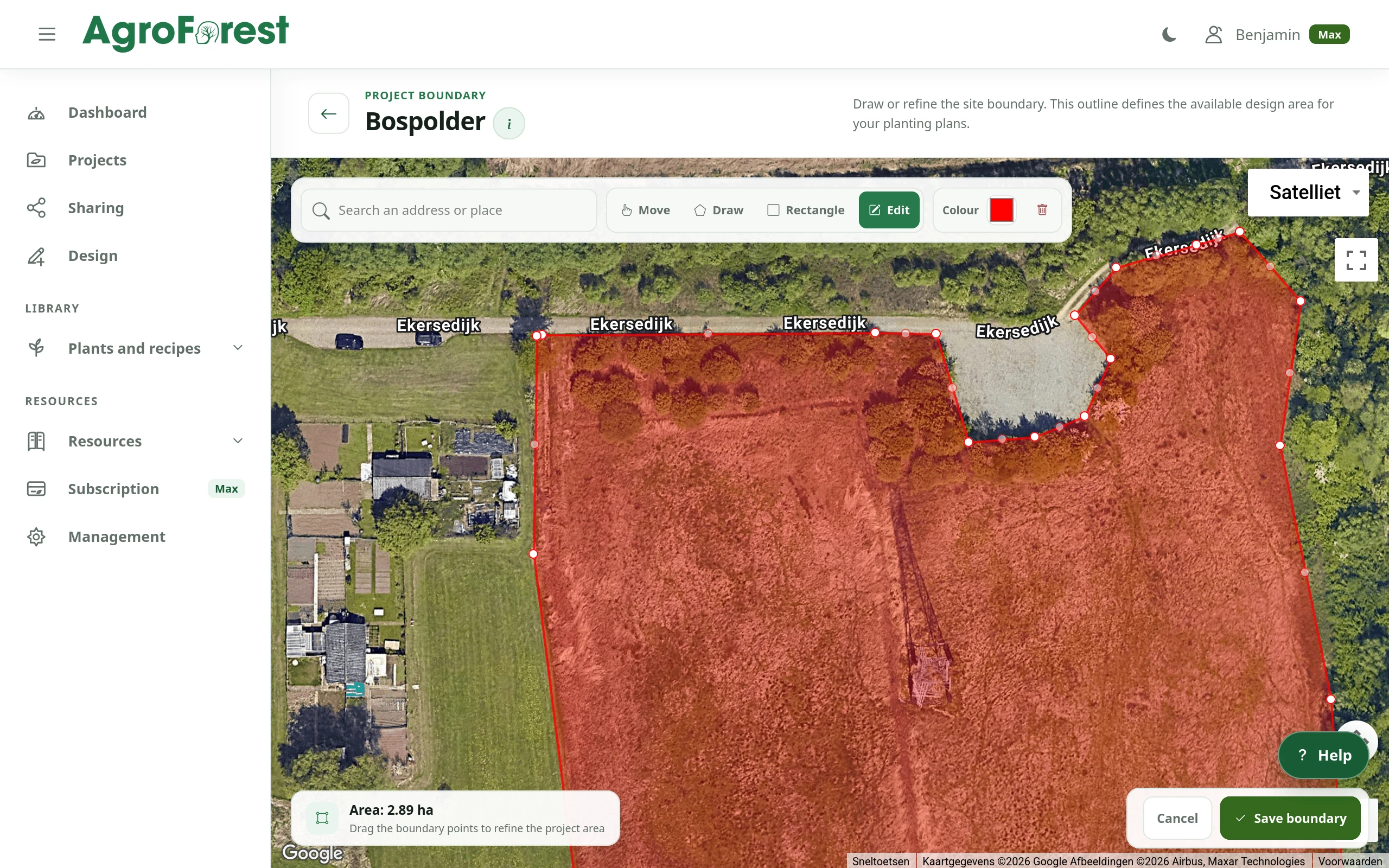
Draw your garden boundary and add existing trees, a shed, seating or other areas you need to work around.
For gardens and personal projects
Use AgroForest Designer to turn a small food forest idea into a planting plan for your own garden. Draw the space you have, choose fruit trees, shrubs and lower layers, then check room to grow, reach and harvest before buying plants.
Why it helps
In a small garden, a tree canopy, a berry patch and a path all compete for space. Start with the features you want to keep and a manageable plant palette. A mapped plan helps you compare choices before committing to a layout or plant order.
Draw your garden boundary and add existing trees, a shed, seating or other areas you need to work around.
Explore recorded plant sizes, light, soil and hardiness preferences. Save candidates in a recipe and check the choices against your garden.
Place a few plants manually or generate an editable proposal inside the area you intend to plant.
Draw paths and compare them with plant footprints so you can review access for harvesting, pruning and everyday garden use.
Review indicative shade as plants grow and use recorded harvest months to see how your selection varies through the seasons.
Begin with the Free plan. Save your design, revisit plant choices and add detail as you learn more about the site.
From start to result
Begin with the actual garden, a few priorities and the site information you already have. You can develop the design before you decide what to buy.
Locate your garden, draw its boundary and mark existing features. Record what you know about soil, moisture and light.
Build a recipe around the food you want to grow and the maintenance you can manage. Check mature dimensions, cultivars and local growing requirements.
Place the larger plants first, then explore shrubs and lower layers. Compare spacing and leave practical paths; use the generator if you want a starting proposal.
Check the inventory, recorded harvest periods and indicative shade. Adjust the plan using observations from your garden, then save a version to work from.
Product views
Product captures from a demonstration project show the same mapping, planting and harvest tools available for your own garden design.
Product capture
Set the project area against real-world imagery before developing the planting plan.
 Product capture
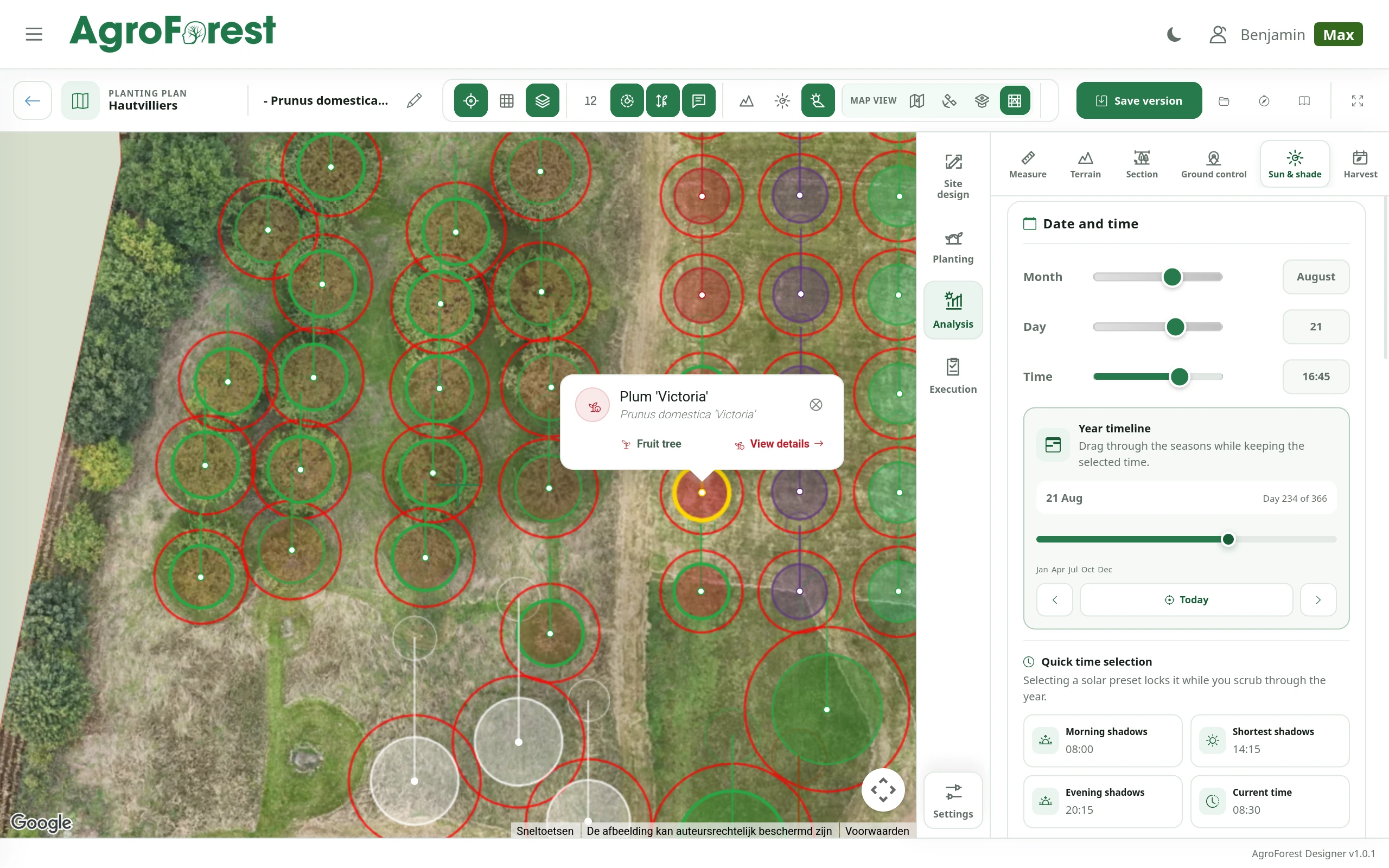
Review plant positions, mature spread and layout directly on the aerial image.
 Product capture
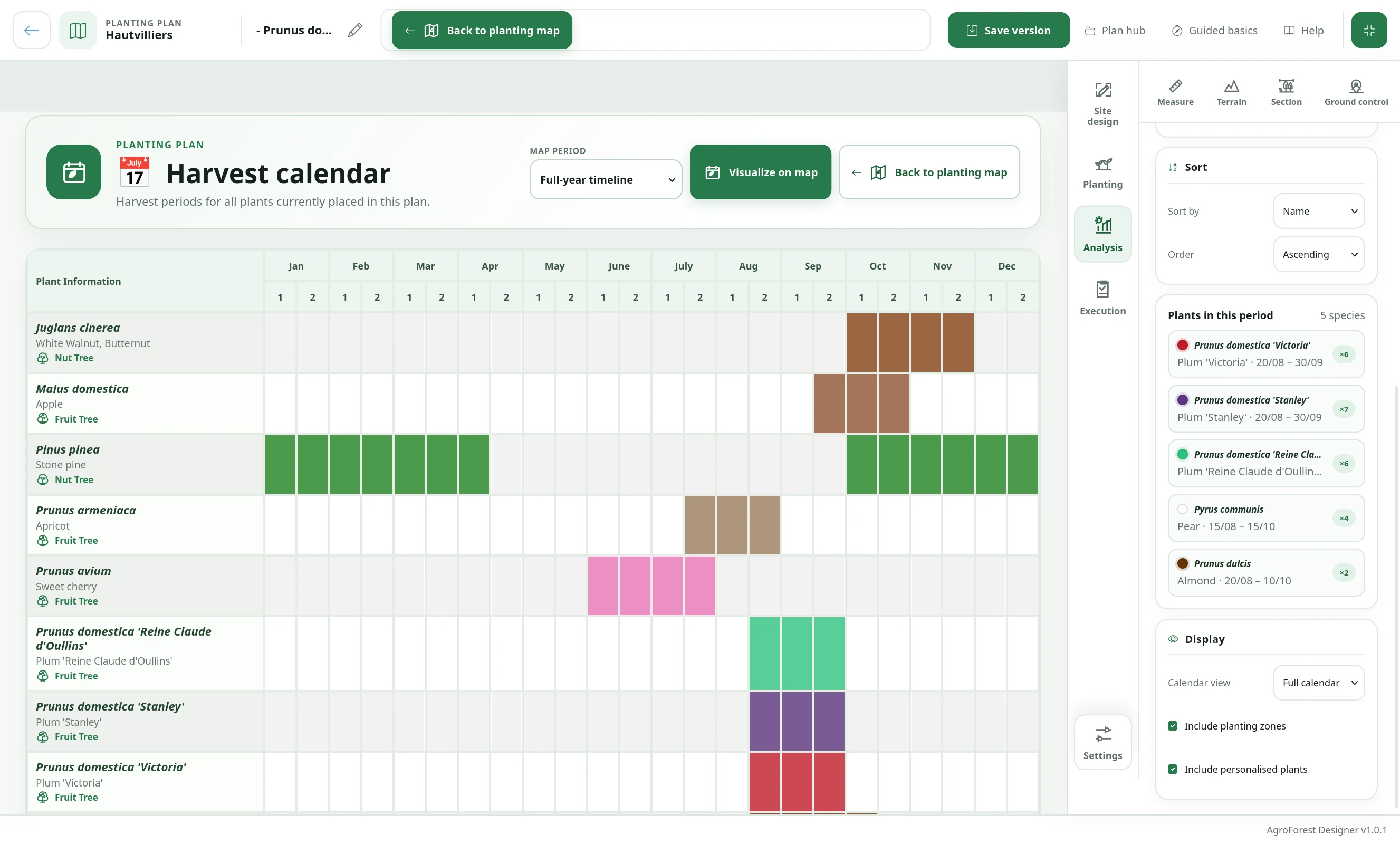
Compare harvest periods across selected species and spot gaps in the year.
FAQ
You can use the planner at garden scale to explore trees, shrubs and lower planting layers. Which layers fit depends on the available space, plant dimensions, rootstock, light and maintenance. Map the actual area and check those choices locally before planting.
No. Start by mapping the garden and researching a small selection in the public plant database. Save candidates in a recipe and revise it as you learn. The planting generator needs a linked recipe; it does not choose from the entire database automatically.
Yes. Record plants and draw the site features you want to work around, then design new planting and access on the same map. Check the positions against your garden because aerial imagery and mapped dimensions may not be exact.
The harvest calendar compares recorded harvest periods, helping you see seasonal patterns in your selection. It is not a site-specific yield forecast. Actual harvests depend on plant age, cultivar, weather and management.
Yes. Create an account without payment details and use the Free plan's core design tools within its account limits. Upgrade if you need additional capacity or professional outputs such as technical drawings and 3D views.
Explore product views and the practical steps for choosing plants and setting up your garden project.
Your design starts here
Start without payment details. Add capacity or professional features later, when your project needs them.